

Manage yourinstitutewith ease
TUTORA is an institute management platform for tutors, tuition classes, tutoring centres and educational institutes. Organise student records, teachers, classes, attendance, fees, financial information and other important activities through one connected system.
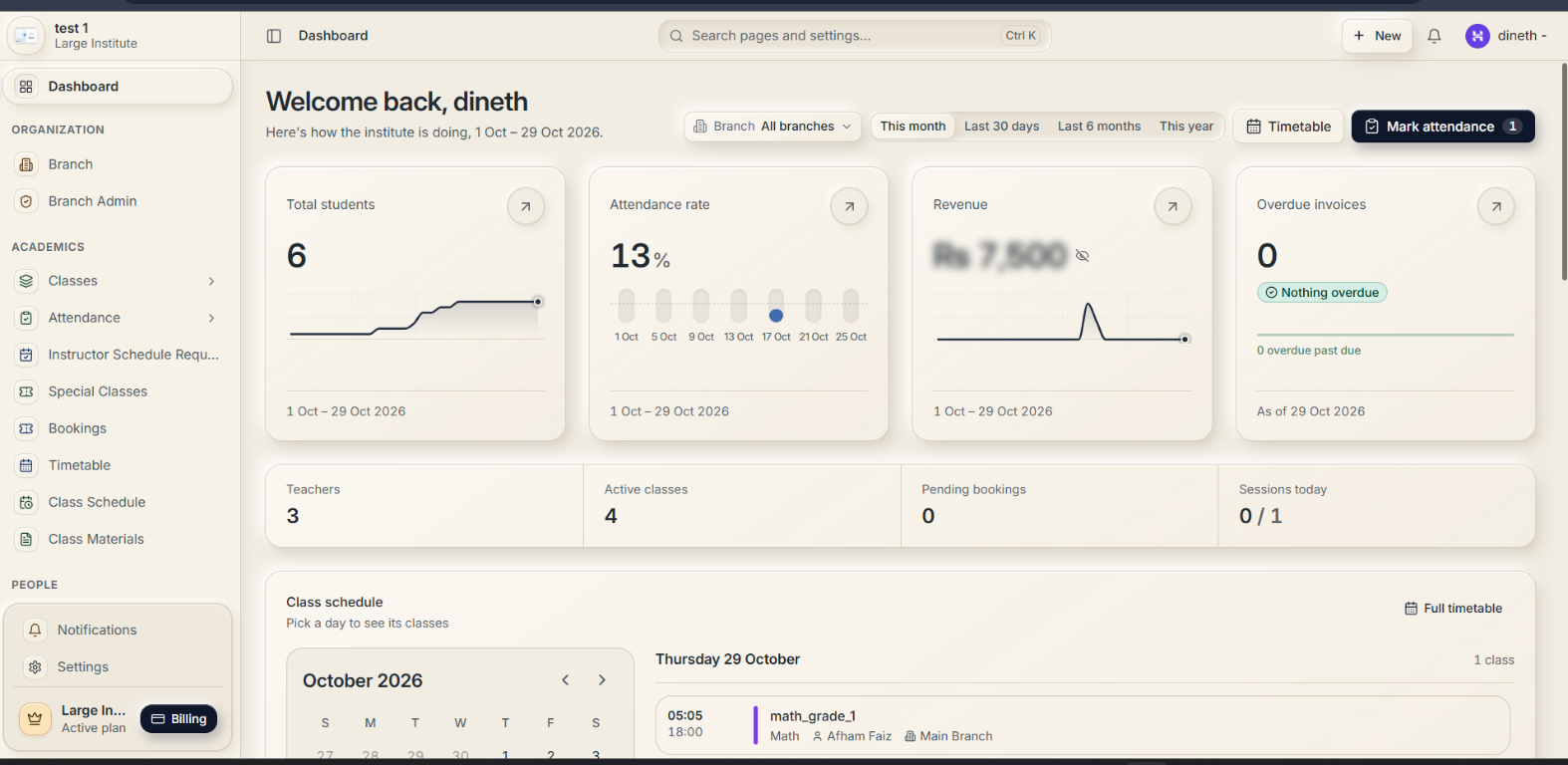
 TUTORA is live
See TUTORA in action
Watch a comprehensive walkthrough of TUTORA—from multi-campus branch setup and visual timetables to real-time QR attendance, student billing, and automated teacher payroll splits.
Centralized Branch Operations
Switch between campuses, assign branch managers, and set up GPS geofence radiuses for localized verification.
Live QR & Roll-Call Tracking
Real-time attended vs. absent counters, time windows, and instant mobile QR code scanning.
Invoicing & Split Payroll
Automate monthly batch tuition invoices and calculate teacher revenue split settlements seamlessly.
One platform for your institute's daily work
Use TUTORA's management features together to keep everyday administration organised.
Student management
Keep student information organised and manage admissions and student records.
Classes and timetables
Organise classes and schedules to help coordinate institute activities.
Attendance management
Record and manage attendance with the available tools, including QR-based attendance and configured GPS-related options.
Fees and payments
Manage student fee records, invoices, payment information and supported payment workflows.
Teachers, staff and financial records
Organise teacher and staff records, and use the available tools for teacher revenue splits, payroll-related records and supported income, expense and financial reporting.
Branch management
Organise multiple branches where applicable within the institute's setup.
User roles and portals
Support the relevant access roles for owners, branch administrators, staff, teachers, students and parents, with each user seeing the information and tools available to their account and permissions.
Inside the TUTORA interface
Explore every core screen and administrative tool in TUTORA. Designed with purpose for tutors, tuition classes, and multi-campus institutes. Click any screen to inspect in full resolution.
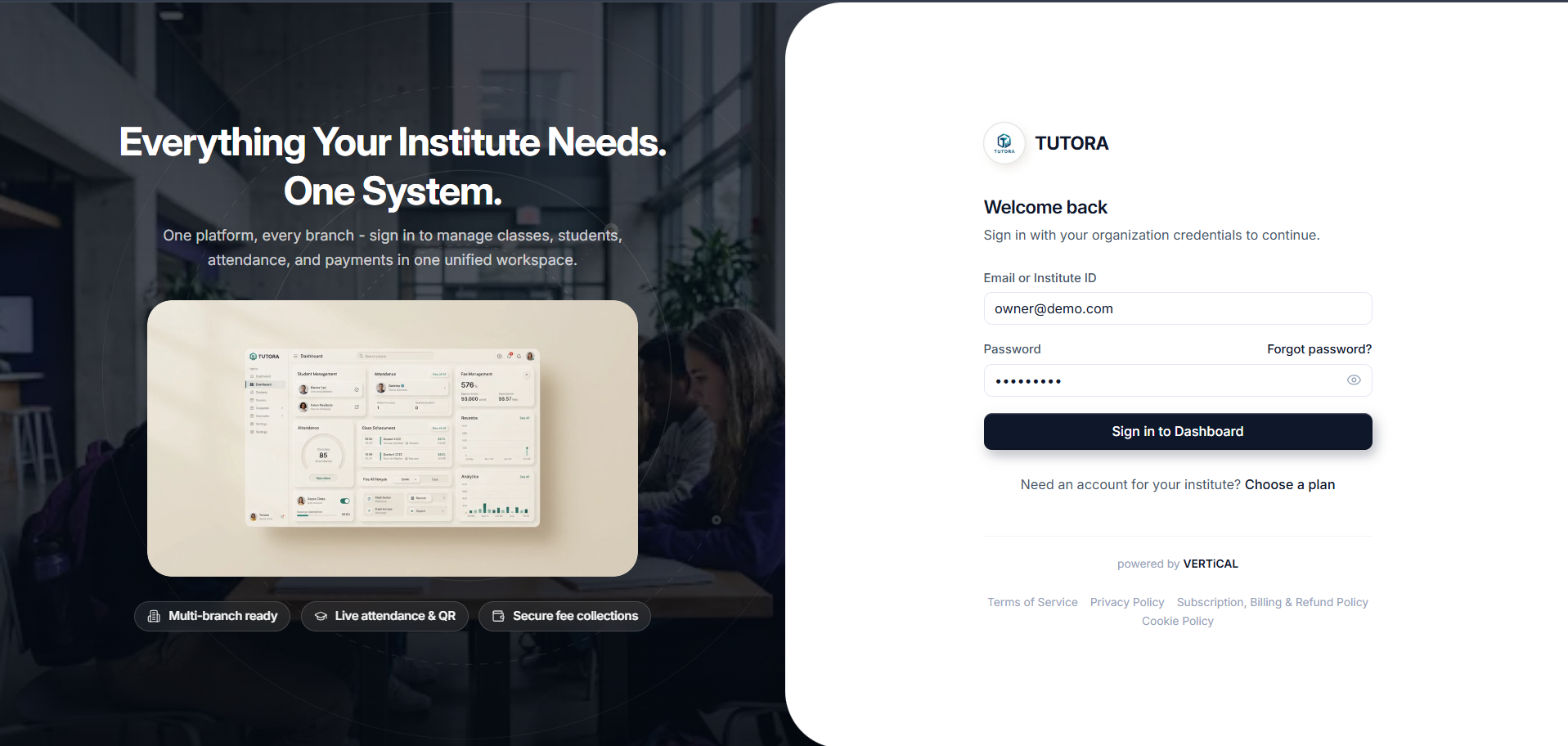
01. Unified Sign-In & Multi-Role Authentication
A centralized, secure login portal providing tailored access for institute owners, branch managers, teachers, students, and parents with role-specific permissions and organization credentials.
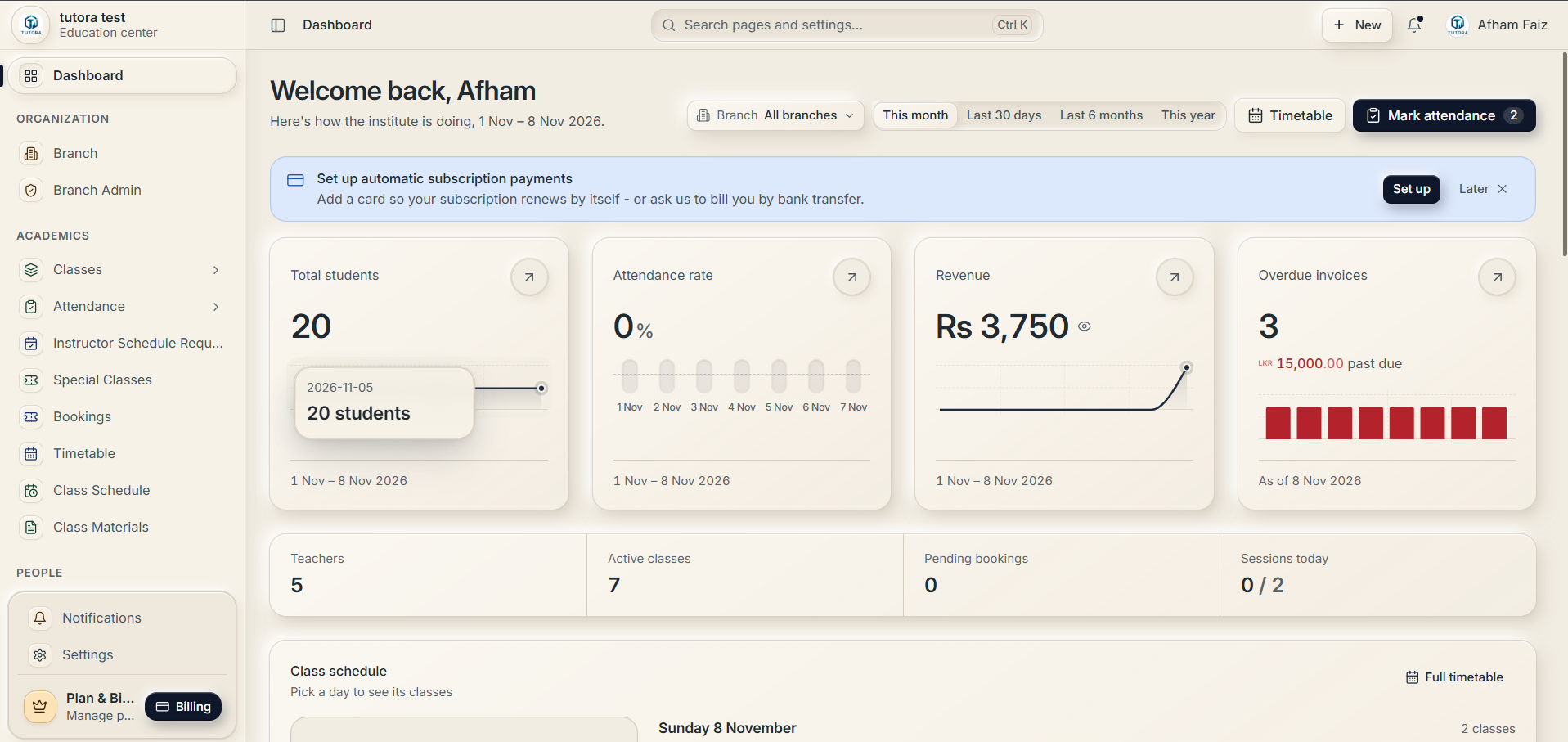
02. Real-Time Institute Operations Dashboard
The primary command center giving owners and administrators real-time statistics on student headcounts, today's attendance rate, monthly revenue curves, overdue invoices, and daily class timetables.
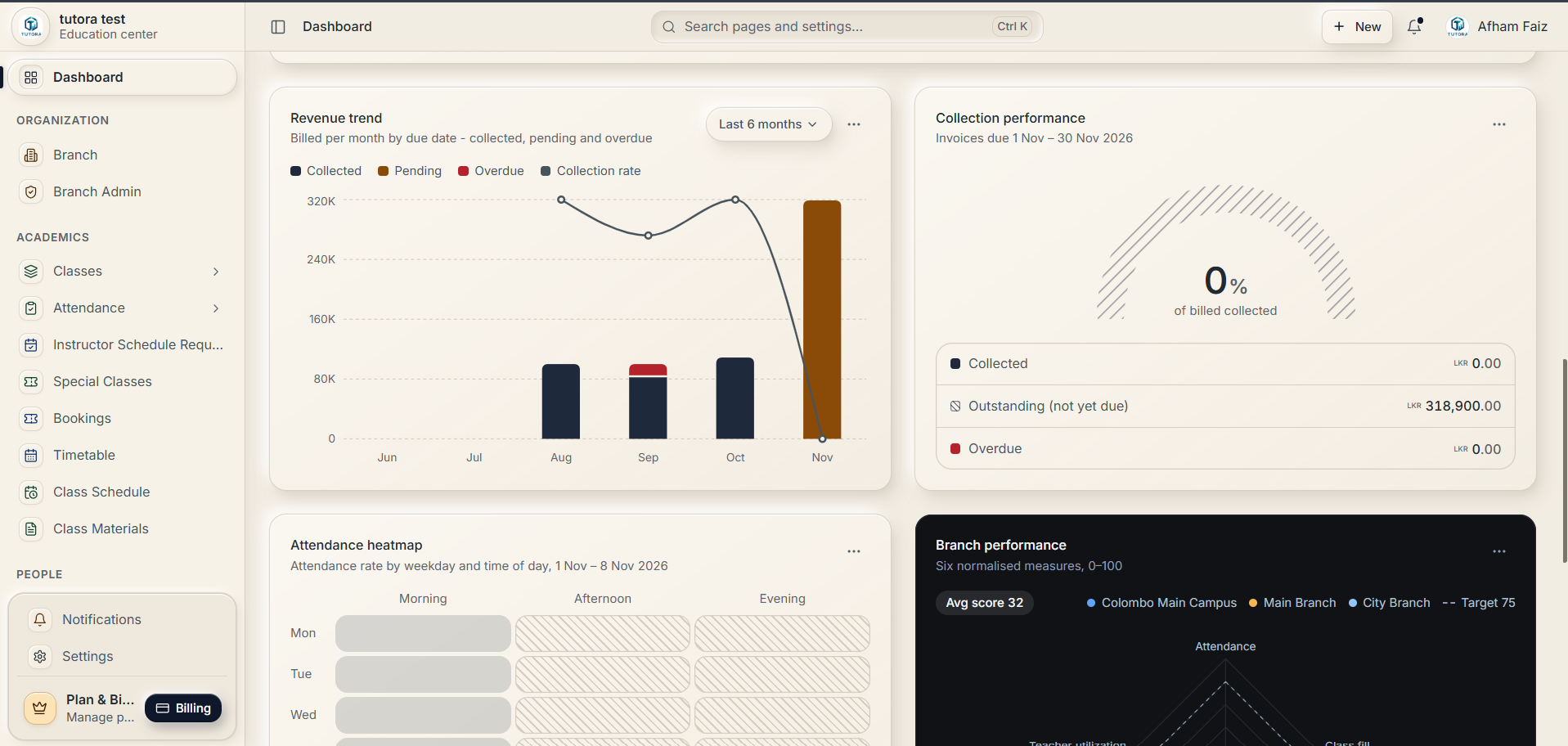
03. Revenue Trends, Attendance Heatmaps & Branch Radar
Deep analytical intelligence featuring 6-month billing and collection trends, collection performance gauge, weekday-by-time attendance heatmaps, and normalized multi-campus radar metrics.
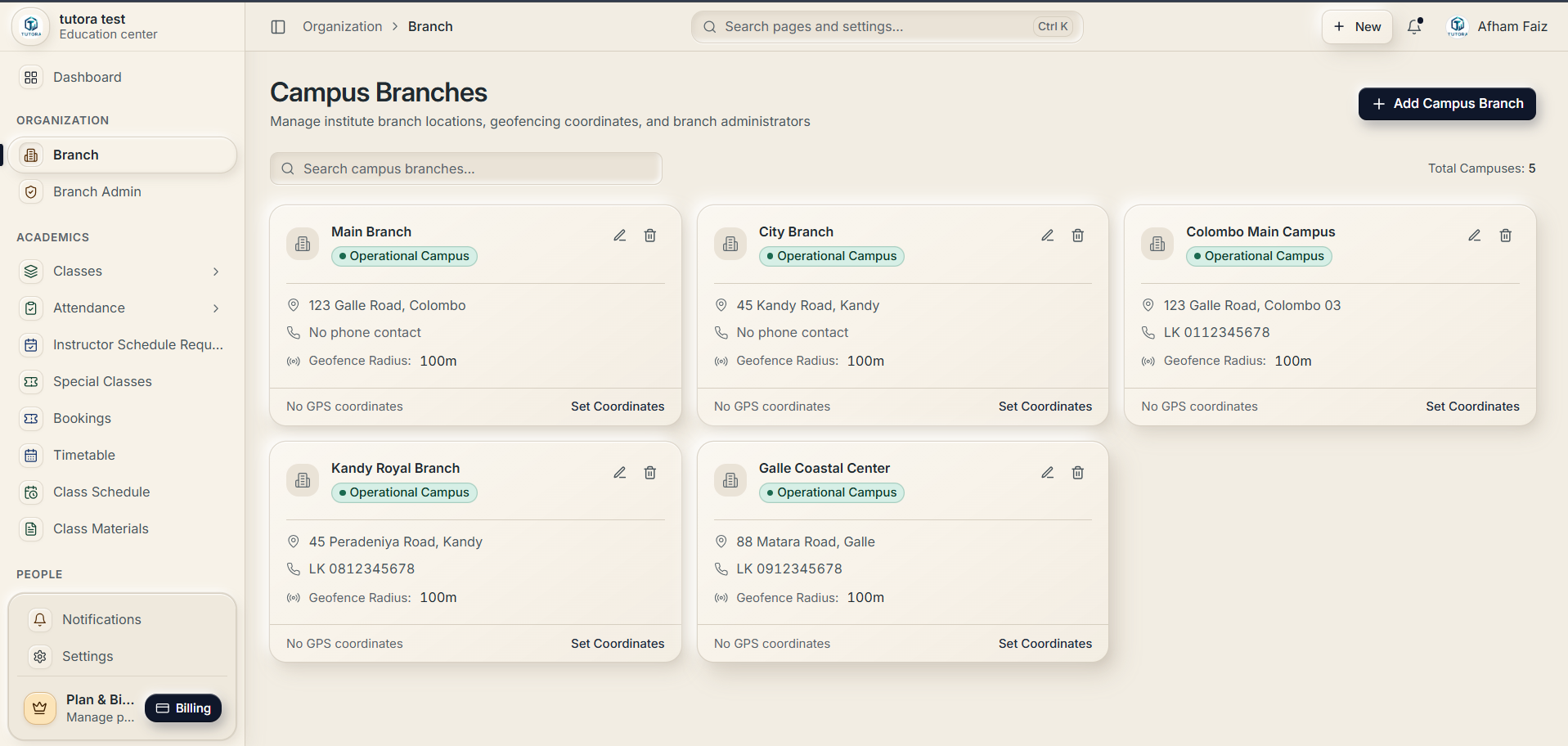
04. Multi-Campus Branch & Geofencing Management
Manage multiple physical campus locations under a single institute account. Configure branch addresses, contact details, branch administrators, and GPS coordinates with geofence radii for localized validation.
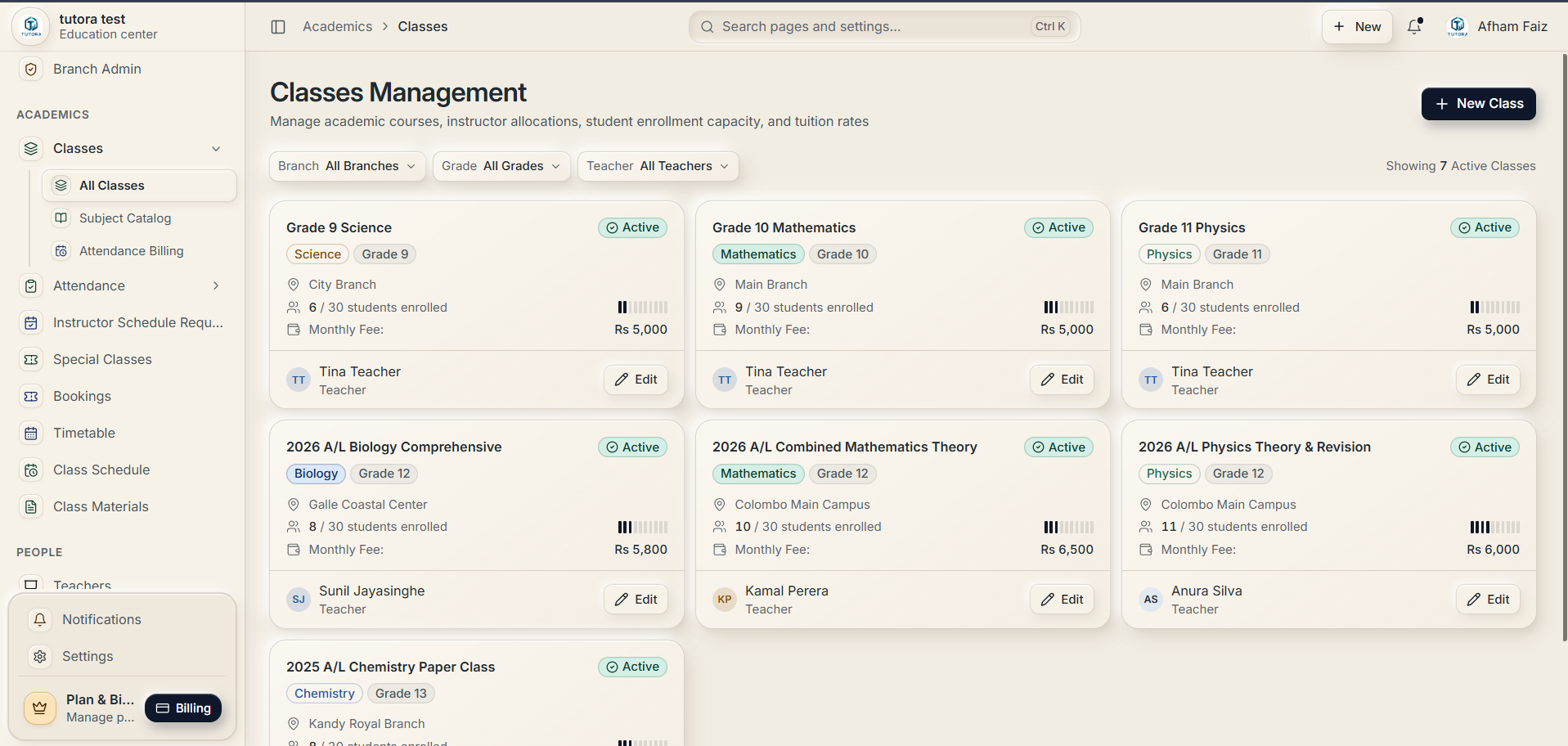
05. Class Directory, Enrollment Capacity & Tuition Rates
Configure academic courses and subject batches with assigned teachers, assigned branches, monthly fee structures, and real-time student enrollment progress bars against classroom capacity limits.
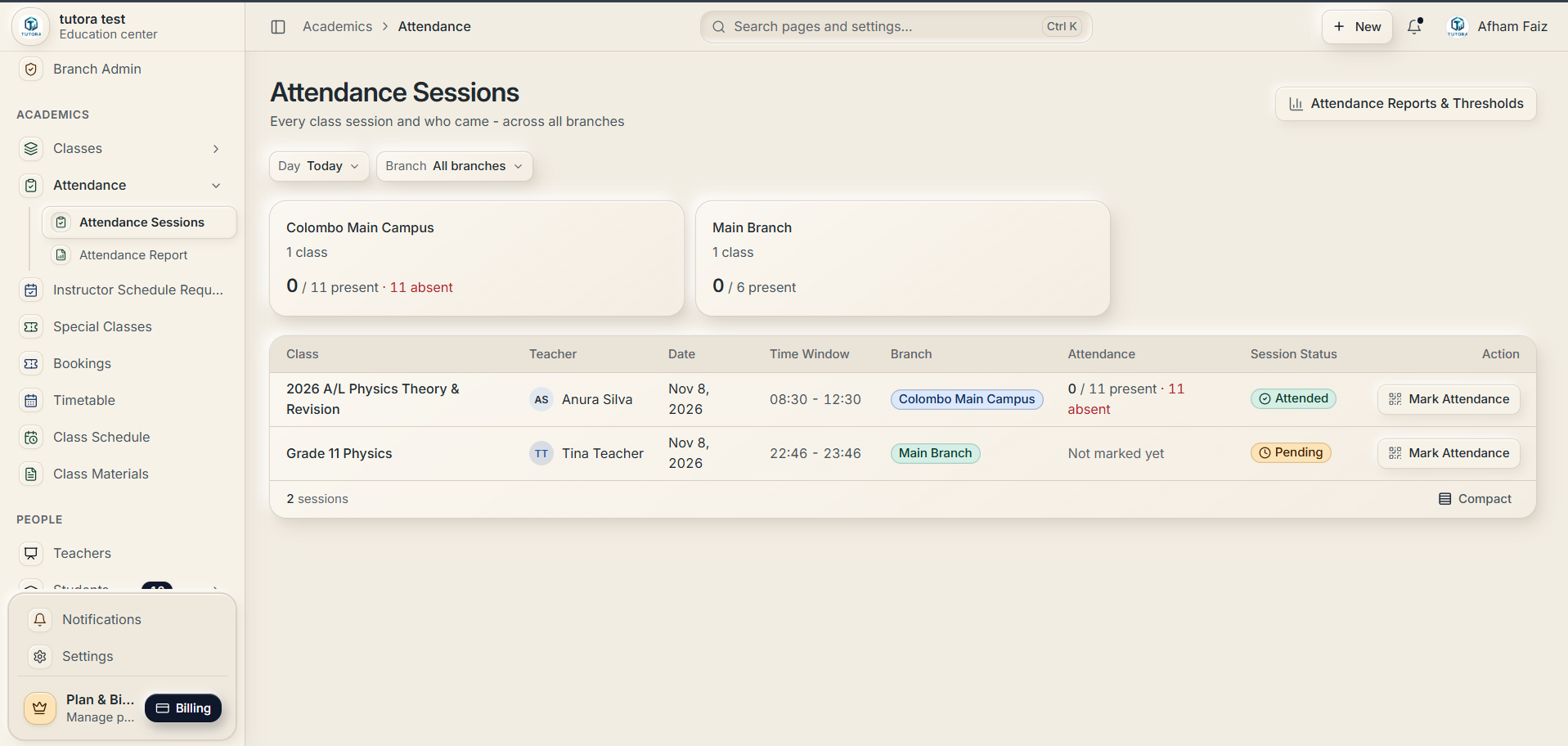
06. Live Attendance Sessions & QR Recording
Monitor daily class sessions across all campuses in real time. View attended versus absent counts as they happen, check session time windows, and launch one-click QR or manual roll-call check-in.
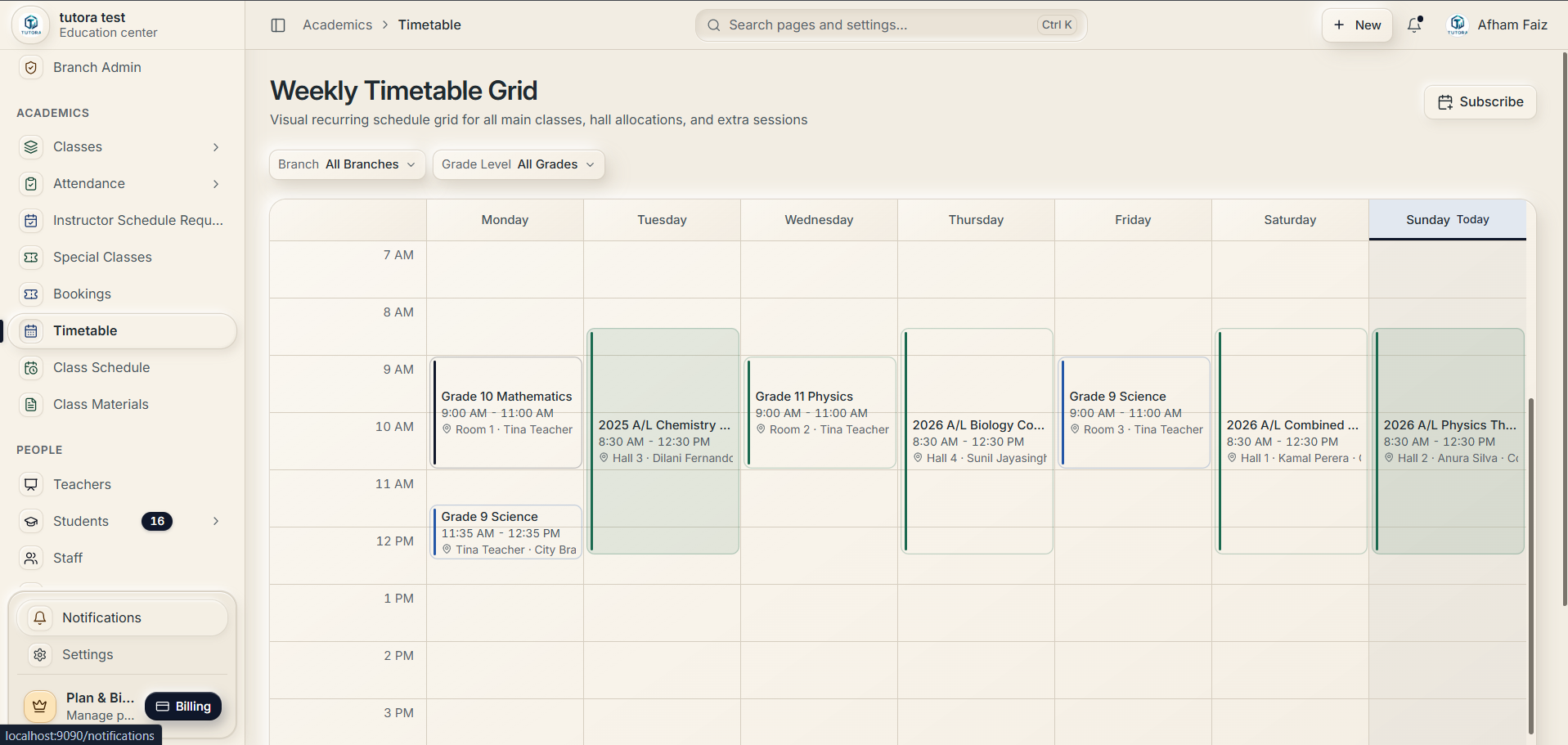
07. Interactive Weekly Timetable & Room Allocation Grid
Visual recurring schedule grid spanning Monday through Sunday. Coordinate lecture hours, assign classroom and hall numbers, eliminate instructor conflicts, and export calendar feeds.
08. Instructors Directory & Teacher Onboarding
A comprehensive faculty directory managing teaching staff credentials, subject specializations, multi-branch allocations, assigned active classes, and instant Teacher Self-Invite QR generation.
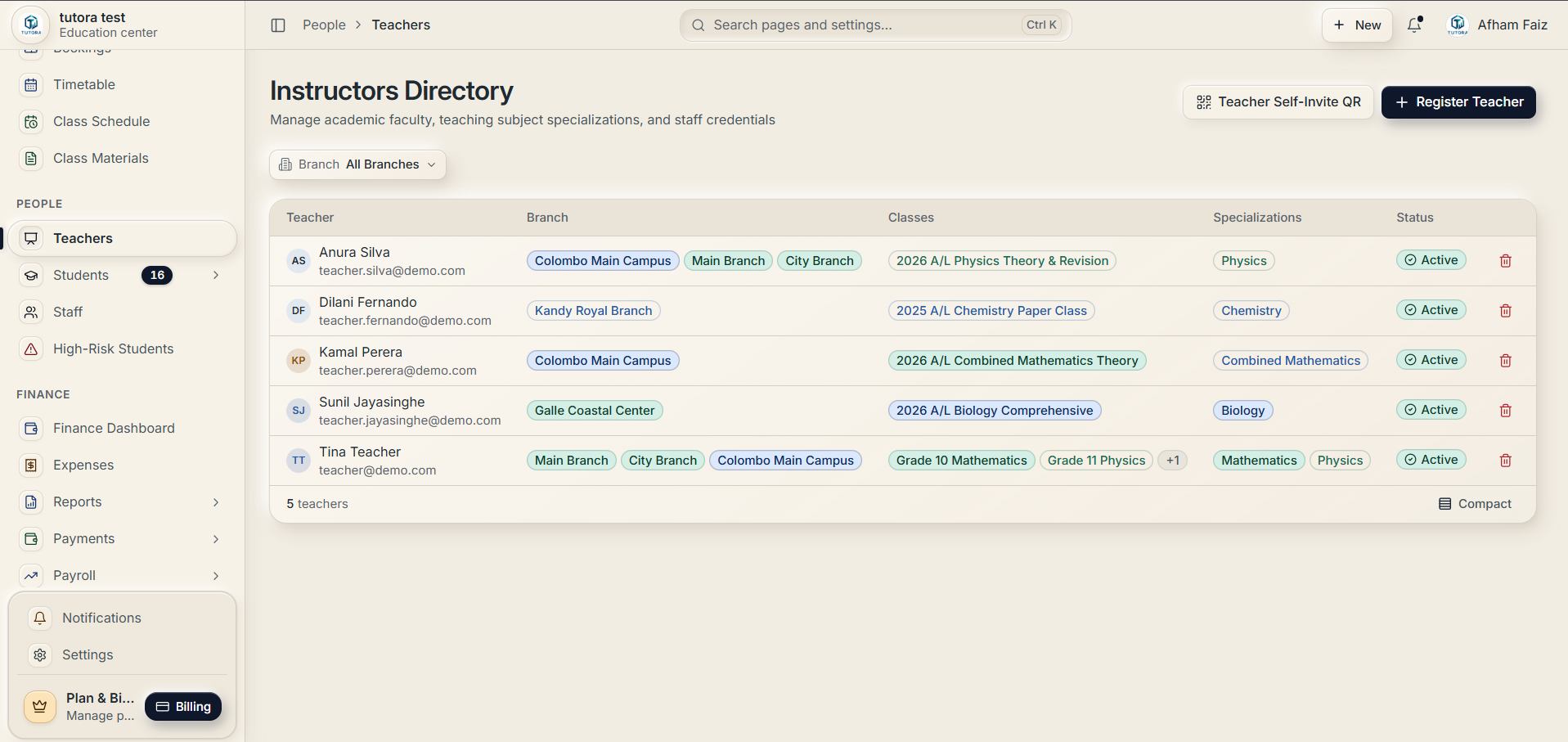
09. Comprehensive Financial Intelligence & Cash Flow
Track overall institute financial health with gross tuition fee inflows, operating and payroll outflows, net profit calculations, monthly comparative cash curves over 6 months, and exportable CSV reports.
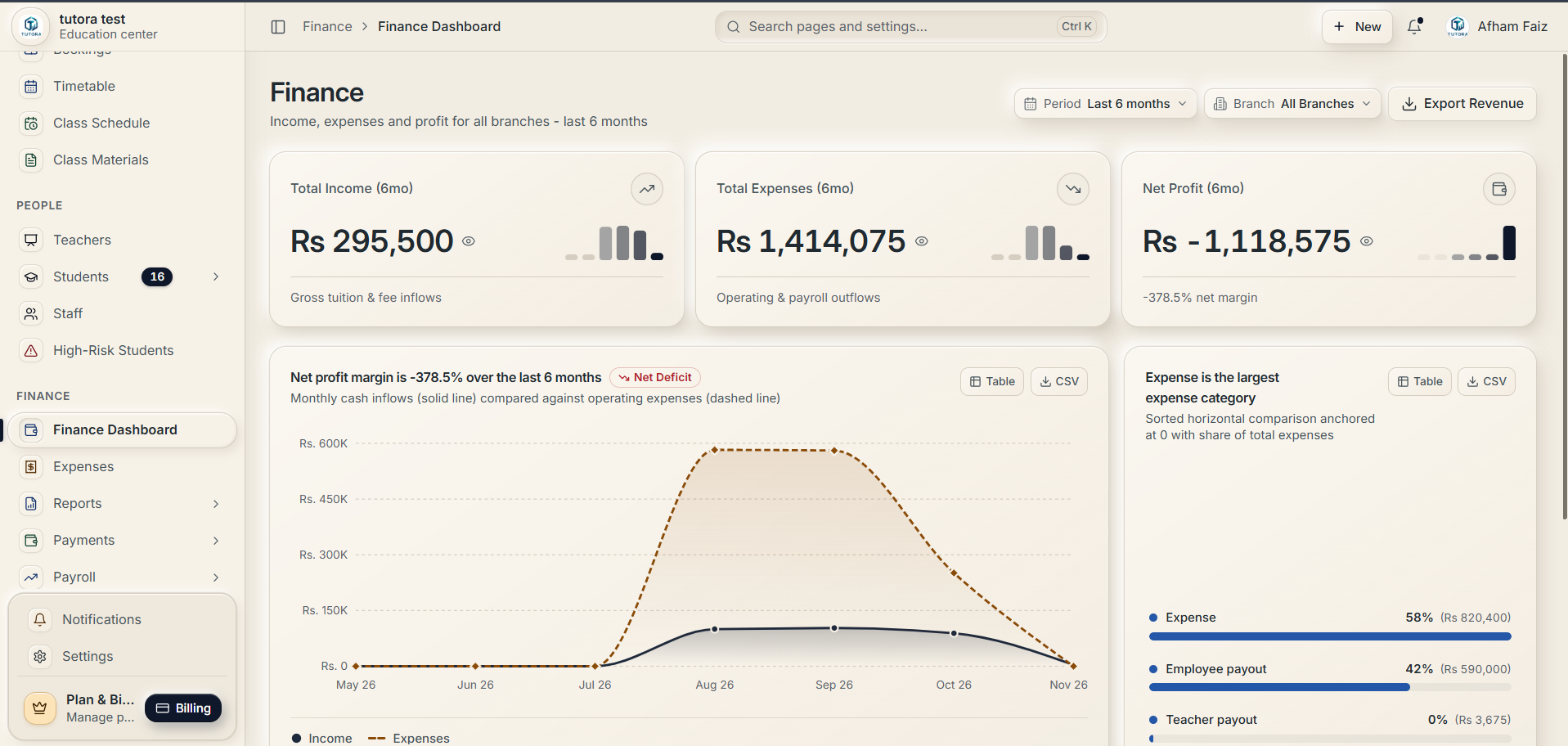
10. Automated Teacher Payroll & Revenue Splits
Eliminate manual bookkeeping with automated teacher payout calculations based on individual revenue split percentages, tracking predicted earnings, paid sums, and pending settlements.
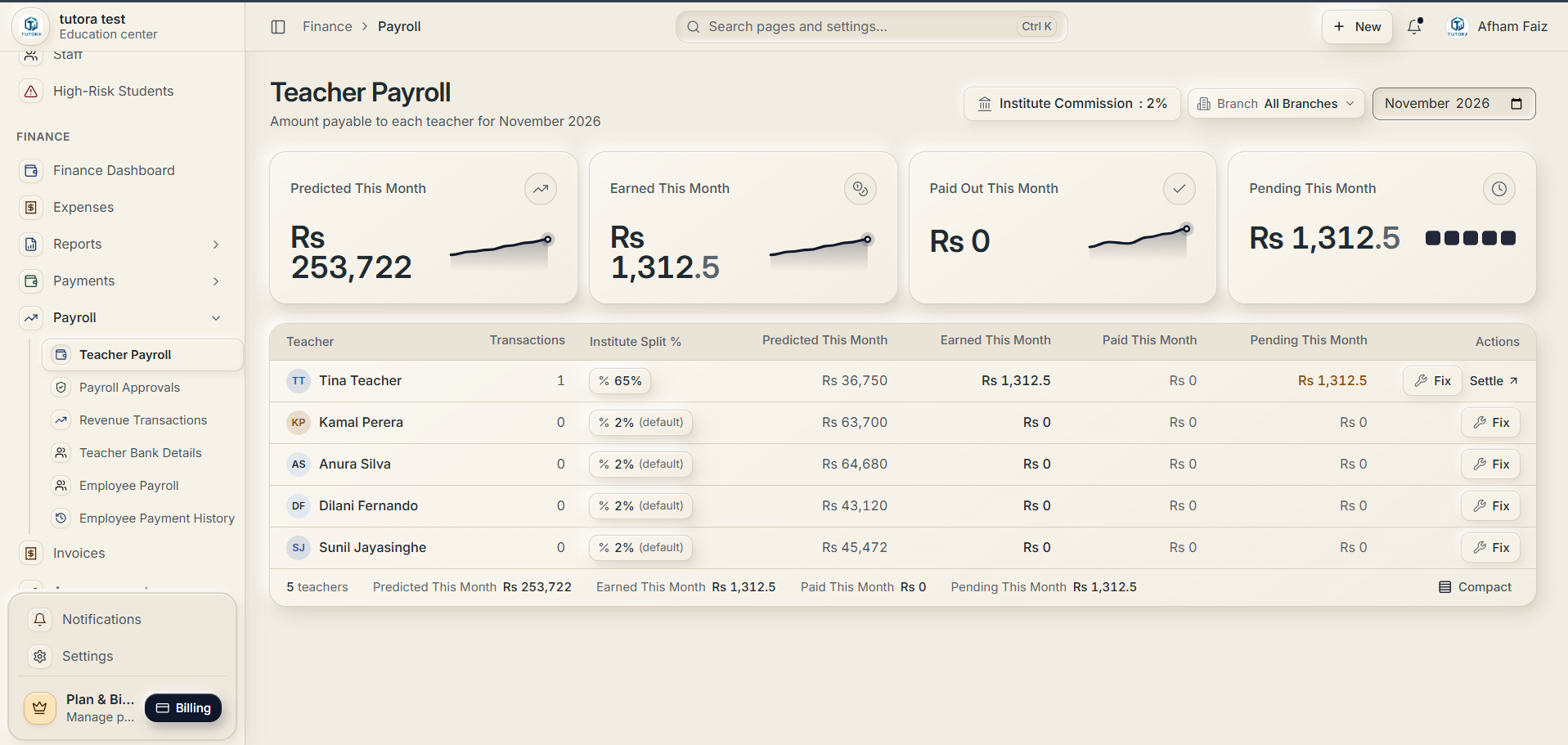
11. Student Invoices & Monthly Billing Cycles
Streamline monthly fee collection with batch invoice generation. Filter invoices by Draft, Pending, Paid, or Overdue, search by student name or invoice number, and track totals.
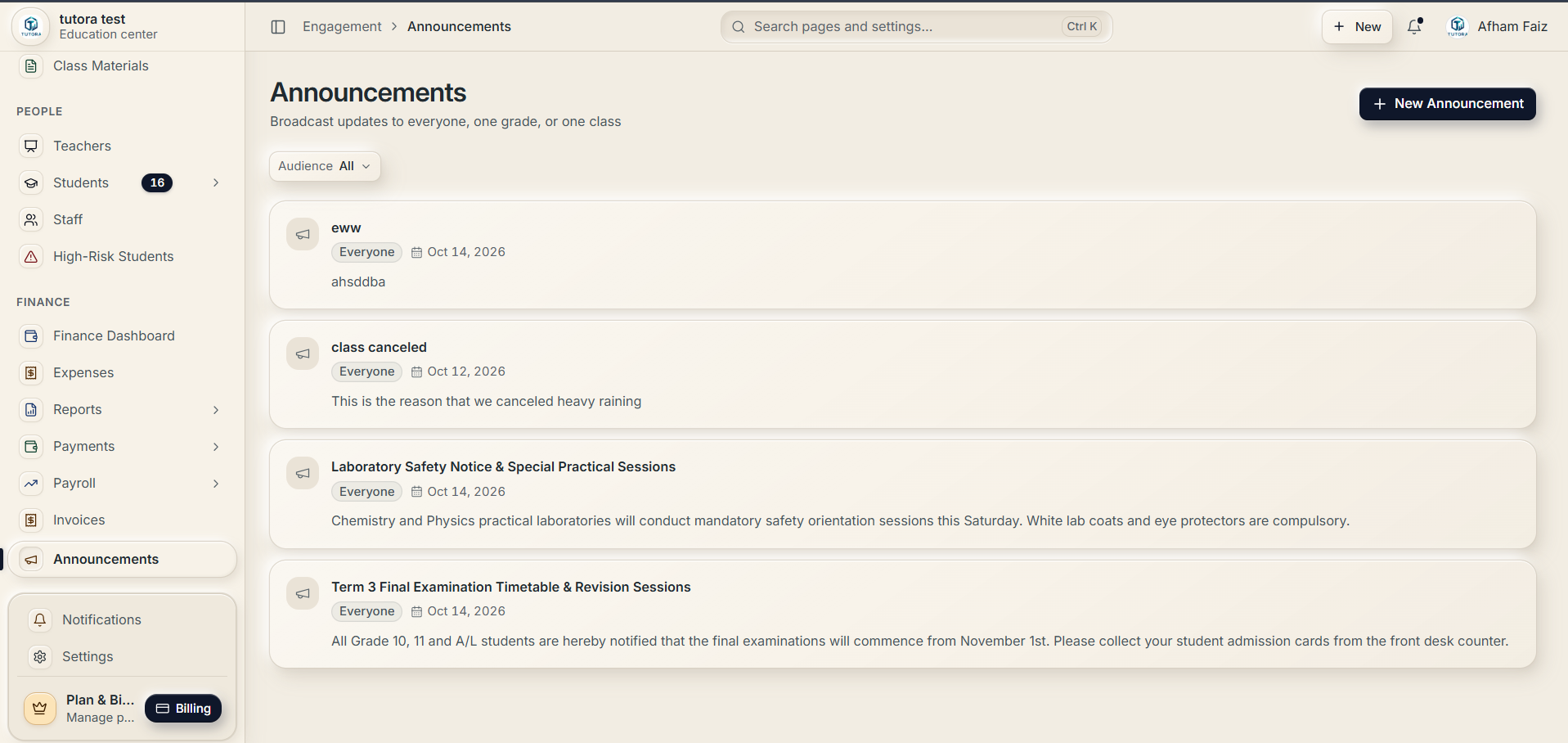
12. Targeted Broadcast Announcements & Bulletins
Broadcast announcements, holiday schedules, examination notices, and safety guidelines across the institute with precision audience filtering (everyone, specific grades, or selected classes).
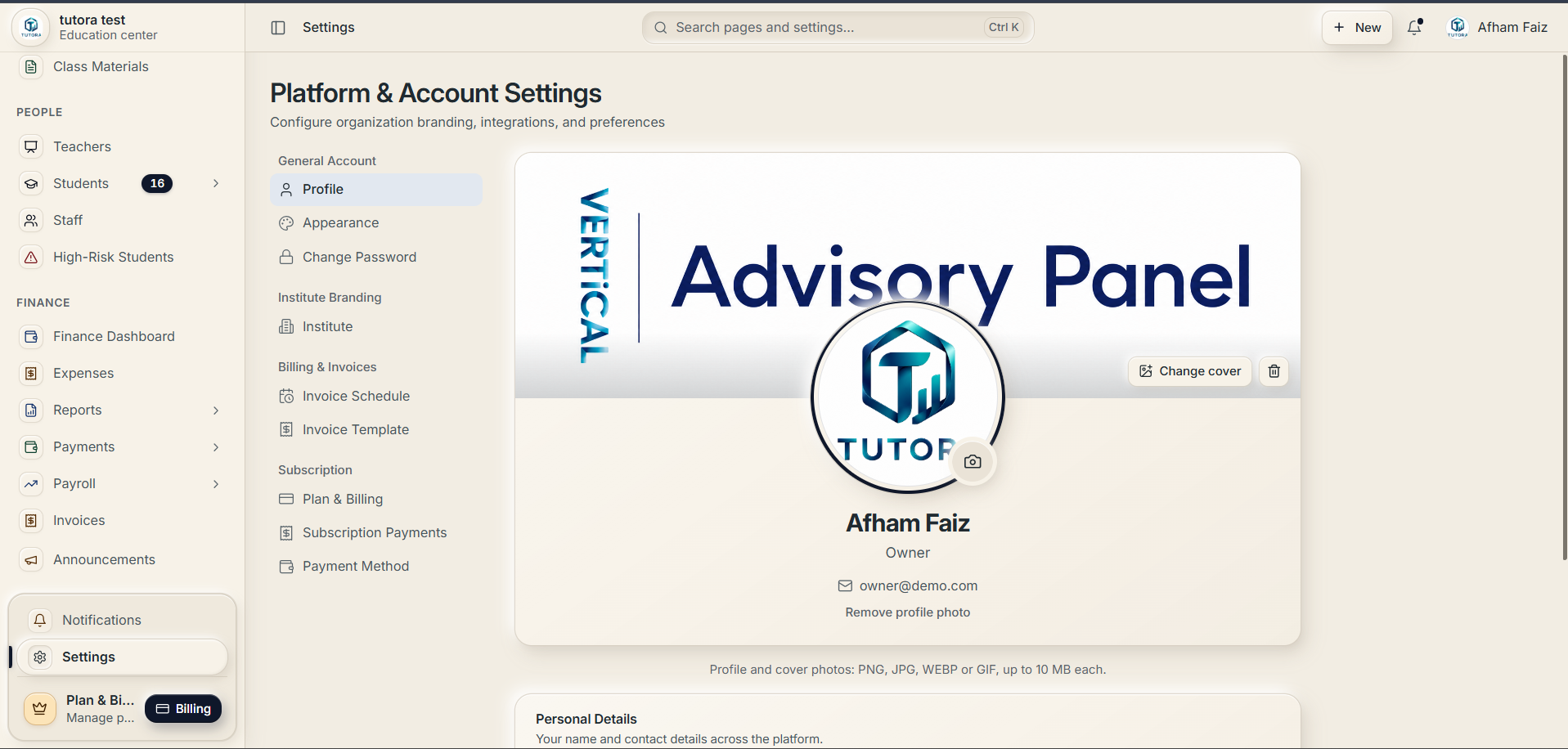
13. Institute Branding, Banner & Profile Settings
Personalize your institute portal with custom brand banners, official crests or logos, owner contact details, password security, invoice schedules, and subscription settings.
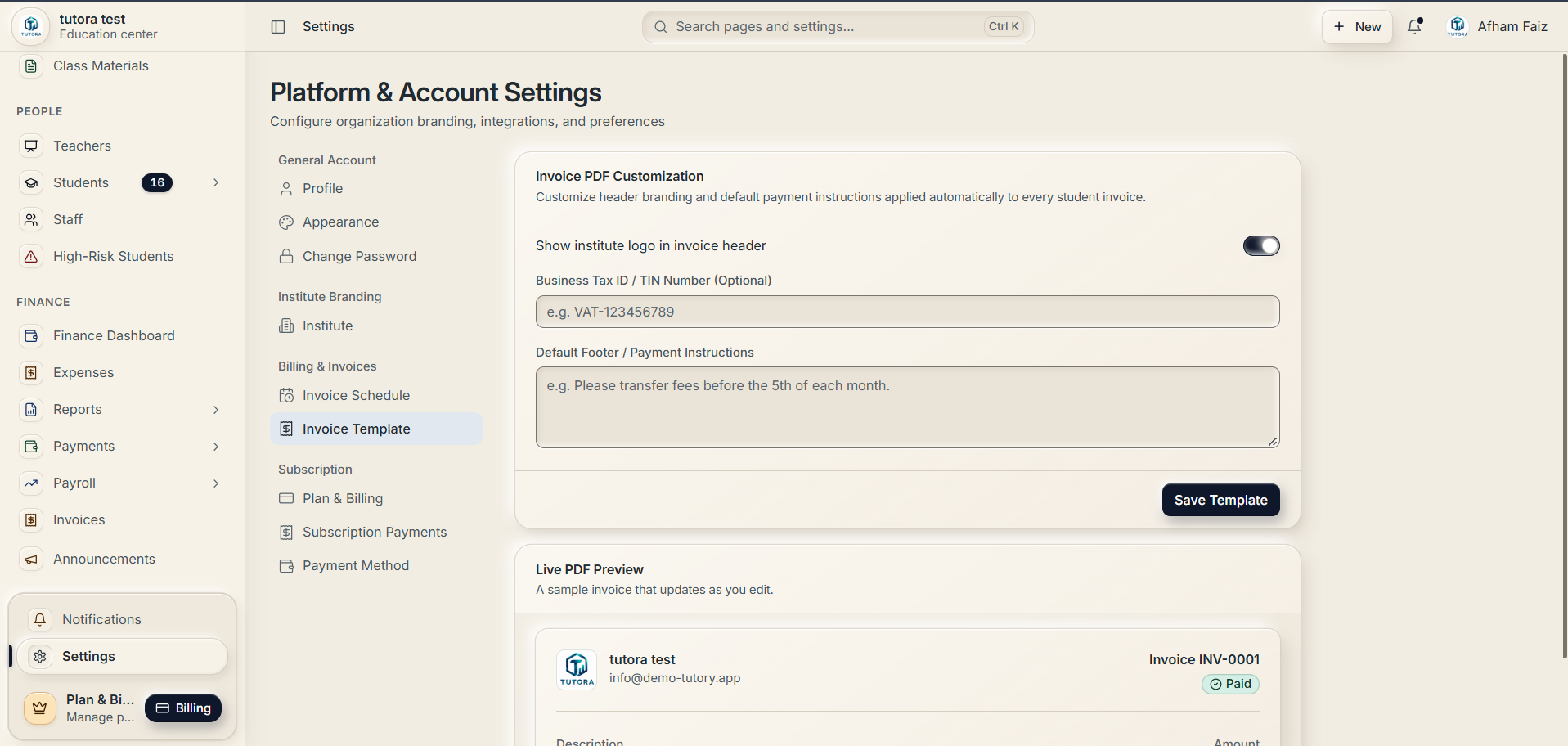
14. Branded PDF Invoices & Payment Instructions
Customize student invoice templates with your institute logo, business tax registration / TIN numbers, payment deadlines, bank account transfer instructions, and instant live PDF preview.
Everyone signs in to their own view
Same institute, different jobs. Pick a role to see what they get.
See the whole institute at once
- Every branch under one institute account
- Teacher revenue splits and payroll
- Supported expense, income and financial reporting
- Staff accounts with only the access each role needs
Designed for different institute needs
Independent tutors
Organise student information, classes, attendance and fees.
Tuition classes
Manage class schedules, student records and daily administrative activities.
Tutoring centres
Bring more institute activities into one organised platform.
Multi-branch institutes
Use branch-management tools to coordinate supported activities across locations.
Why choose TUTORA?
A ready-to-use platform
Start with an existing system built for institutes instead of building one from scratch.
Organised information
Keep student, teacher, class and fee information in one structured system.
Connected tools
Manage related institute activities through one connected system.
Usage-based billing
Charges follow the product's published usage rules.
Multiple user roles
Owners, branch administrators, staff, teachers, students and parents each see the information and tools available to their account.
Getting started
Billing information
TUTORA uses a usage-based billing model. Charges are determined by the product's published usage rules.
Visit the TUTORA website
Go to tutora.vertical.community.
Review the product information
Look through the product information and available access options.
Register
Complete the registration or onboarding process provided.
Set up your institute
Add your institute information and authorised users.
Start using TUTORA
Use the available features for your daily institute work.
Review your usage
Check your usage and the applicable billing information.
Questions institutes ask
Short answers about TUTORA. Something we missed? Ask us on WhatsApp.
TUTORA by VERTiCAL is an institute management platform for tutors, tuition classes, tutoring centres and educational institutes. It brings student records, classes, attendance, fees, teachers, staff, financial records and branches into one connected system. It is software for running an institute, not a marketplace for finding tutors.
Yes. TUTORA is live at https://tutora.vertical.community.
Student records and admissions, classes and timetables, attendance, fees and payments, teacher and staff records, supported financial records and reporting, and branches, with access for each user role.
Each student gets a personal QR code that staff scan in class, and attendance can be GPS-checked. Parents can see their child's attendance, and attendance reports and attendance-based billing are built in.
With invoices, supported payment workflows, and bank-transfer slips that staff approve. An unpaid students list shows who still owes fees.
Yes. One institute account covers every branch, with branch admins and branch-level cashier, receptionist and attendance staff accounts.
Yes. TUTORA supports owners, branch administrators, staff, teachers, students and parents. Each user sees the information and tools available to their account and permissions.
Yes. TUTORA runs in any web browser and institutes from any country can sign up.
TUTORA uses a usage-based billing model. Charges follow the product's published usage rules.
No. TUTORA runs in the web browser on a phone, tablet or computer.
Use the contact details on this website: WhatsApp or call +94 72 711 8312, or email verticalconnect0@gmail.com. You can also use the support channel inside TUTORA.

Organise your institute with TUTORA
Explore TUTORA and discover tools designed to help you manage institute activities in one place.